Research Portfolio — AI for Accessibility
Beyond Visual Defaults.
Creativity is a fundamental expression of human agency, yet our digital tools remain strictly visual. I build AI systems that decouple creativity from sight—transforming accessibility from a compliance checkbox into a blueprint for Multimodal, Verifiable, and Customizable Human-AI collaboration.
When we solve for non-visual authoring, we solve the interface for the future of AI agents.
Below, I present three case studies that put this vision into practice—each tackling a unique facet of making visual creativity accessible through AI: restoring spatial perception, enabling output verification, and giving users authorship over automation.
Breaking the 1D Barrier
Screen readers flatten the rich, 2D world of artboards and charts into a linear, 1D stream of text. Blind users lose spatial context, making layout and data analysis cognitively exhausting.
Spatial perception is often treated as purely visual, but it is fundamentally geometric and relational. My work decouples spatial reasoning from sight by reintroducing dimensionality through multimodal interaction. By combining touch, haptics, and spatial audio, we allow users to "physically" explore digital artifacts—restoring the agency to perceive layout and density that screen readers strip away.
A11yBoard: Decoupling Command and Perception
A11yBoard is a system that makes digital artboards—like presentation slides—accessible to blind users. Blind creators are often power users of keyboards, but keyboards lack spatial feedback. A11yBoard introduces a "split-sensory" architecture: users keep the precision of the keyboard for command input (on a laptop) while gaining a new "perceptual window" via a paired touch device, enabling risk-free spatial exploration of slide layouts.
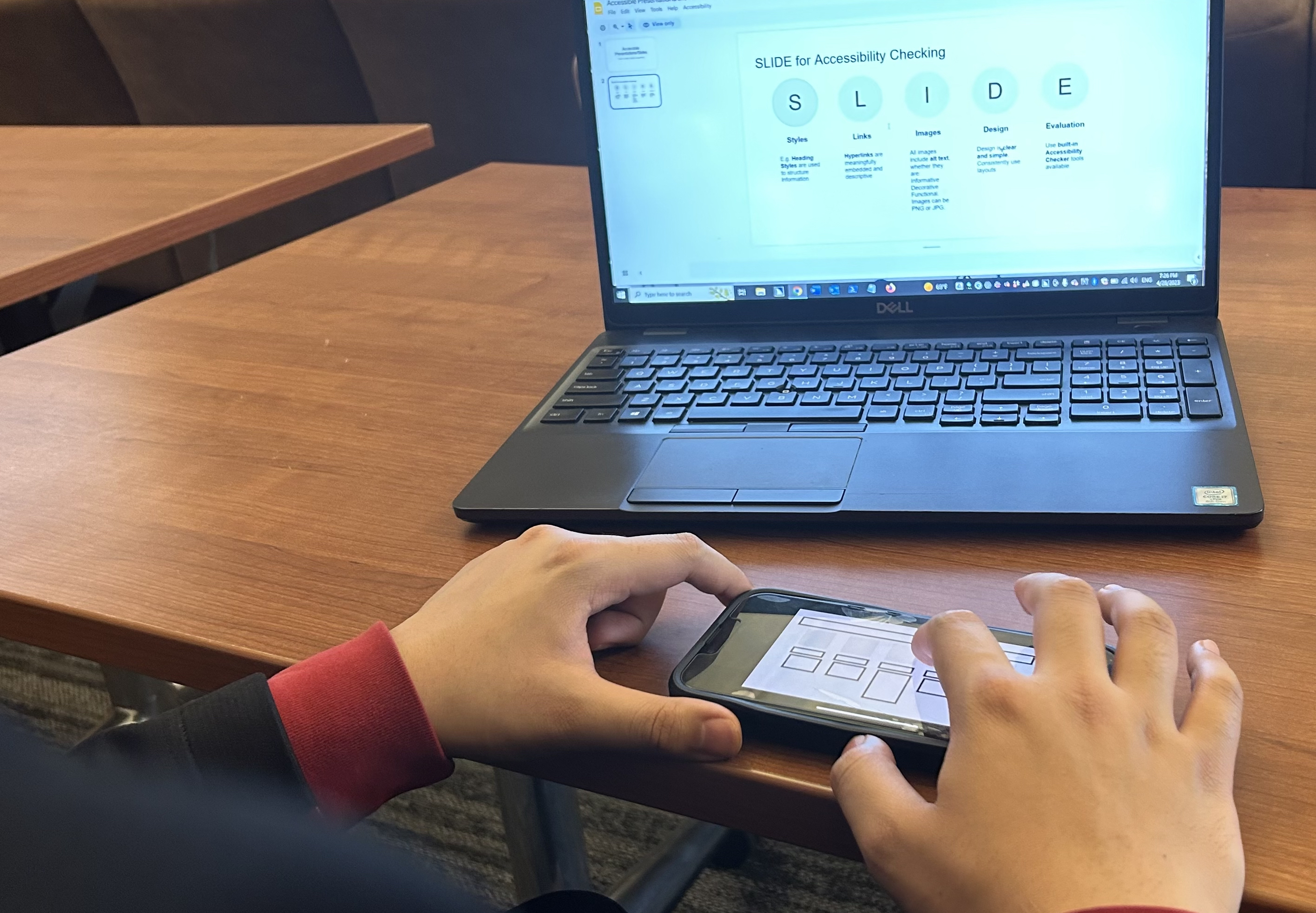
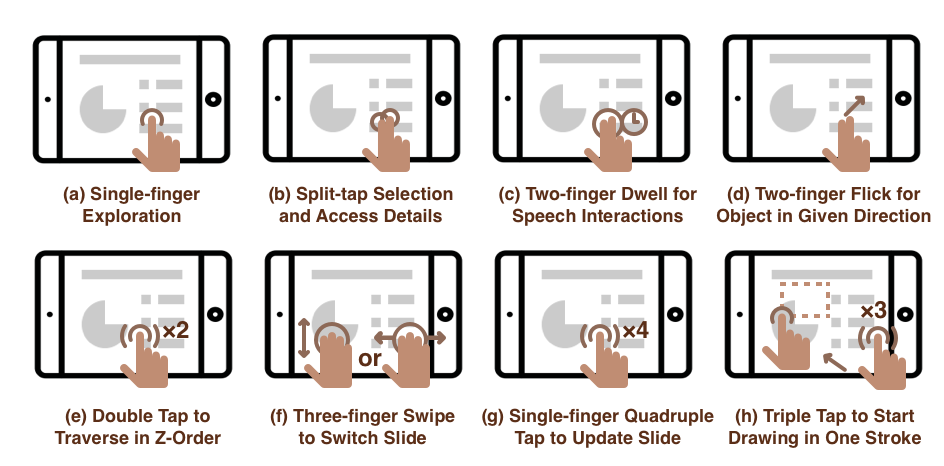
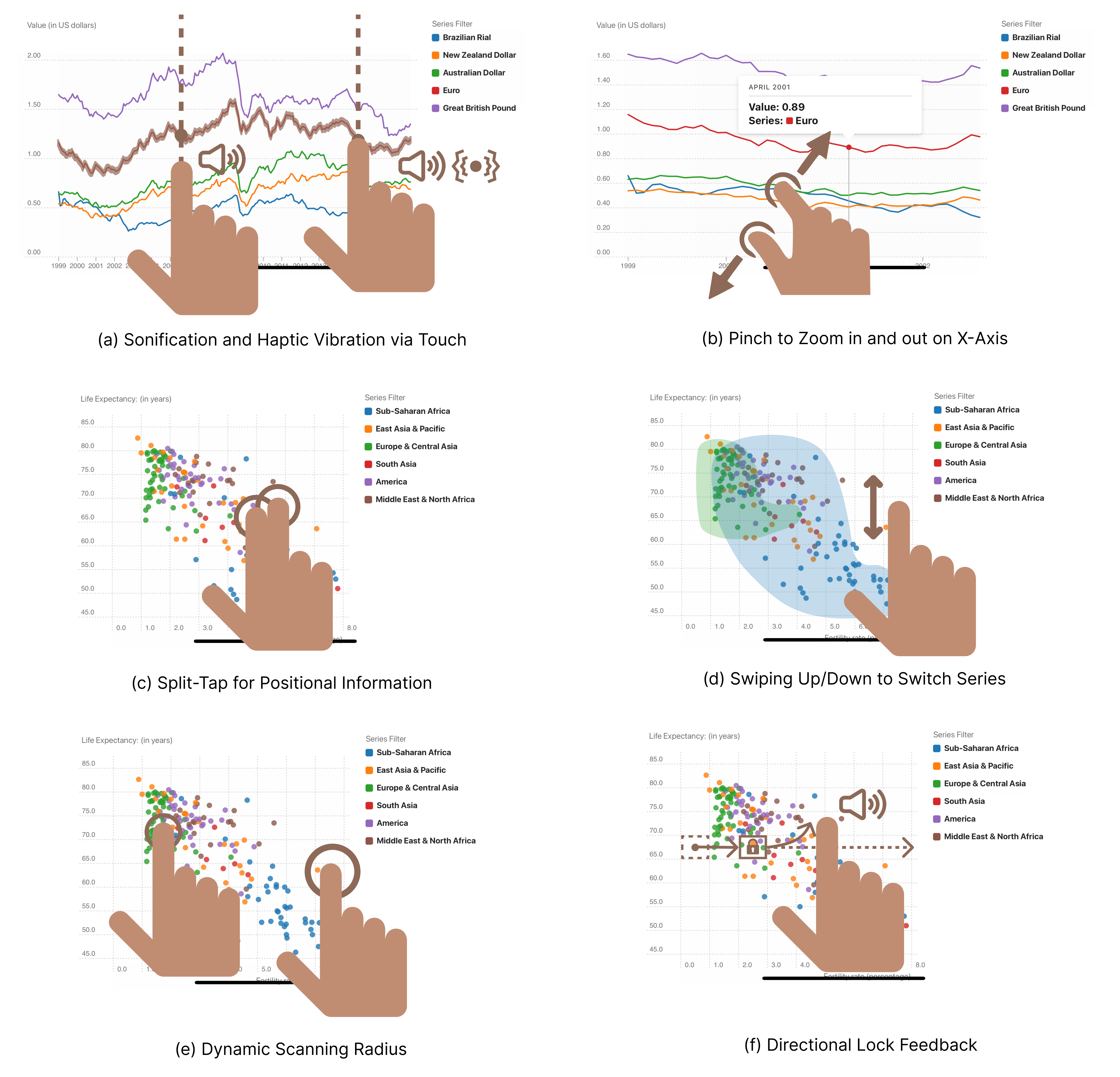
To support this, we developed a gesture vocabulary that translates visual scanning into tactile queries. The "Split-Tap" allows a user to keep one finger on an object (maintaining spatial reference) while tapping with another to query its properties—separating navigation from interrogation.
ChartA11y: Feeling the Shape of Data
While A11yBoard handles discrete objects, data visualizations present a different challenge: density. A screen reader can read a data point, but it cannot convey a "trend." ChartA11y is a smartphone app that makes charts and graphs accessible through touch, haptics, and sonification. It provides two complementary modes of interaction.
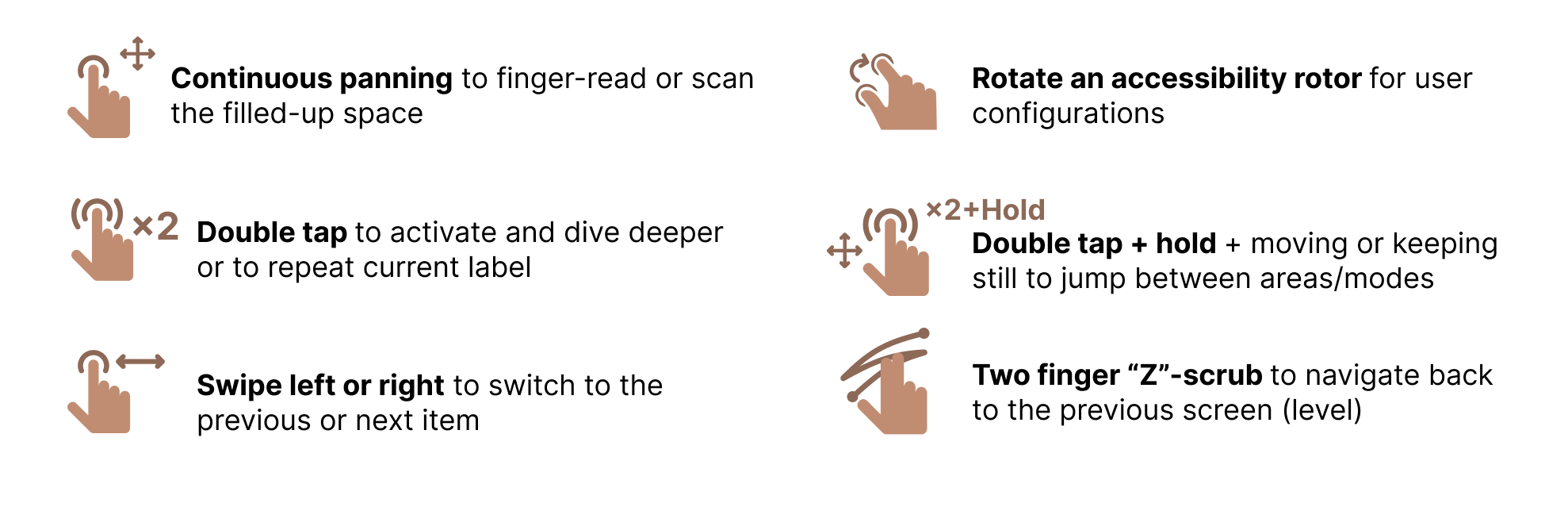
Semantic Navigation provides structured access to chart components. Users traverse the chart's hierarchy—axes, legends, series—through a gesture set designed for building a mental model before diving into details.
Sonification turns data analysis into a multisensory experience. We map pitch to value and timbre to density, enabling users to perceive trends through audio alone.
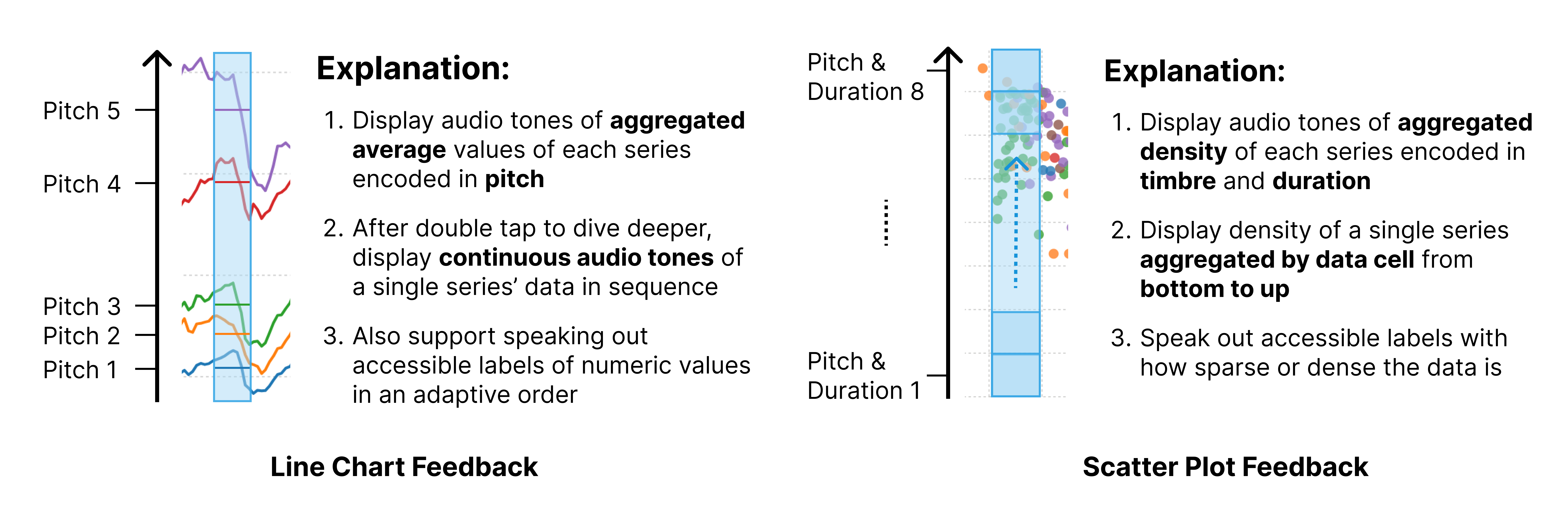
Direct Touch Mapping turns the screen into a tactile canvas. As users drag their fingers across a scatter plot, they receive continuous haptic and auditory feedback based on data density—identifying clusters, outliers, and gaps instantly.
Trust in the Black Box
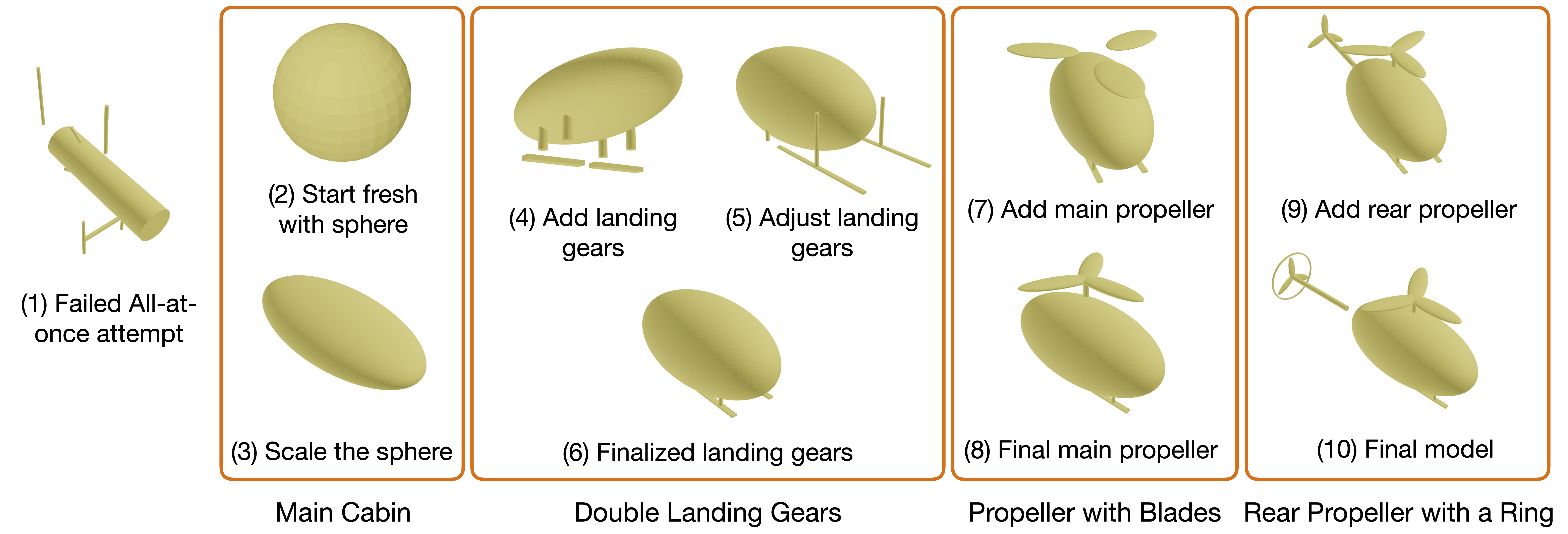
Generative AI can create complex 3D models instantly, but for blind creators, the output is a black box. How can they trust that the AI respected their intent if they can't see the mesh?
If a blind user prompts an AI for a "helicopter," they might get a blob or a masterpiece. Without sight, they cannot verify the result. A11yShape is a system that enables blind users to create and verify 3D parametric models with AI assistance. It solves the verification problem through Cross-Representation Interaction: instead of showing only the visual output, we synchronize the Code (the source of truth), the Semantic Hierarchy (the structure), and the AI Description (the explanation).
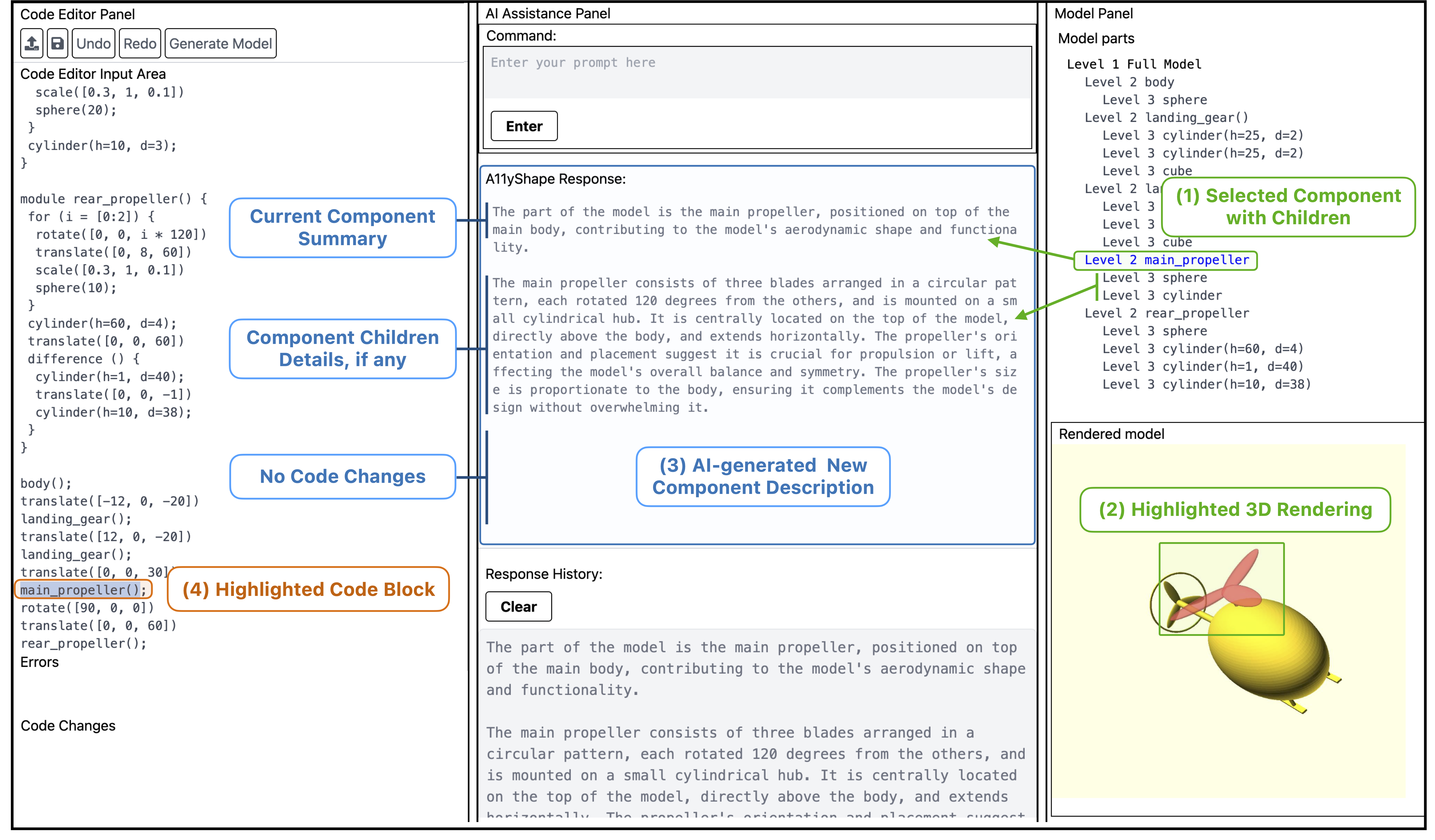
This triangulation allows for verification without vision. Users inspect the underlying logic rather than visual output. If the AI says "added a propeller," the user can verify that the code block exists, is connected to the right parent node, and has parameters that make sense—transforming a "slot machine" interaction into a rigorous, iterative engineering process.
Authoring the Automation
Navigating information-dense interfaces with a screen reader is repetitively exhausting. AI agents promise automation but often act as "black boxes"—taking control away from the user and creating safety risks if they hallucinate.
ScreenRoutine is a system that lets blind users define their own automation routines in natural language, then translates those routines into structured, verifiable programs. Instead of asking a black-box agent to "do it for me," users author Routines—e.g., "Find the cheapest cable"—which the system compiles into semantic blocks: Triggers, Filters, and Actions. This restores agency by putting the user in control of the automation logic.
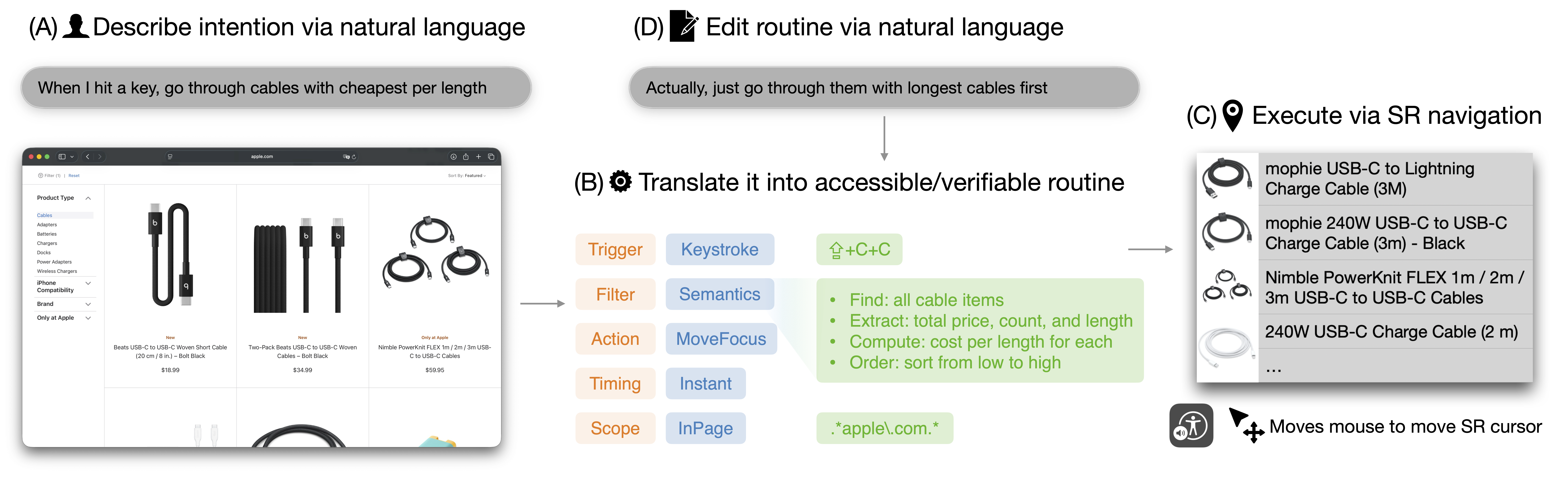
The Intermediate Representation is the key to trust. Before execution, the user can audit the logic: "Did it interpret 'cheapest' as sorting by price?" If the logic is flawed, they can refine it naturally (e.g., "Actually, sort by length"). By sitting between the user and the application, ScreenRoutine empowers blind users to be the architects of their own automation—combining the flexibility of LLMs with the reliability of deterministic execution.